
Free
$0
Manual sync and page saving
- Local Bookmark Library Report
- Manual bookmark and Reading List sync
- Save the current page
- AI for pages saved after setup
- Duplicate handling
 Bookmark Assistant
Search and organize locally. Sync bookmarks and Reading List to Notion when you want—without moving everything into another bookmark service. AI summaries and tags stay optional.
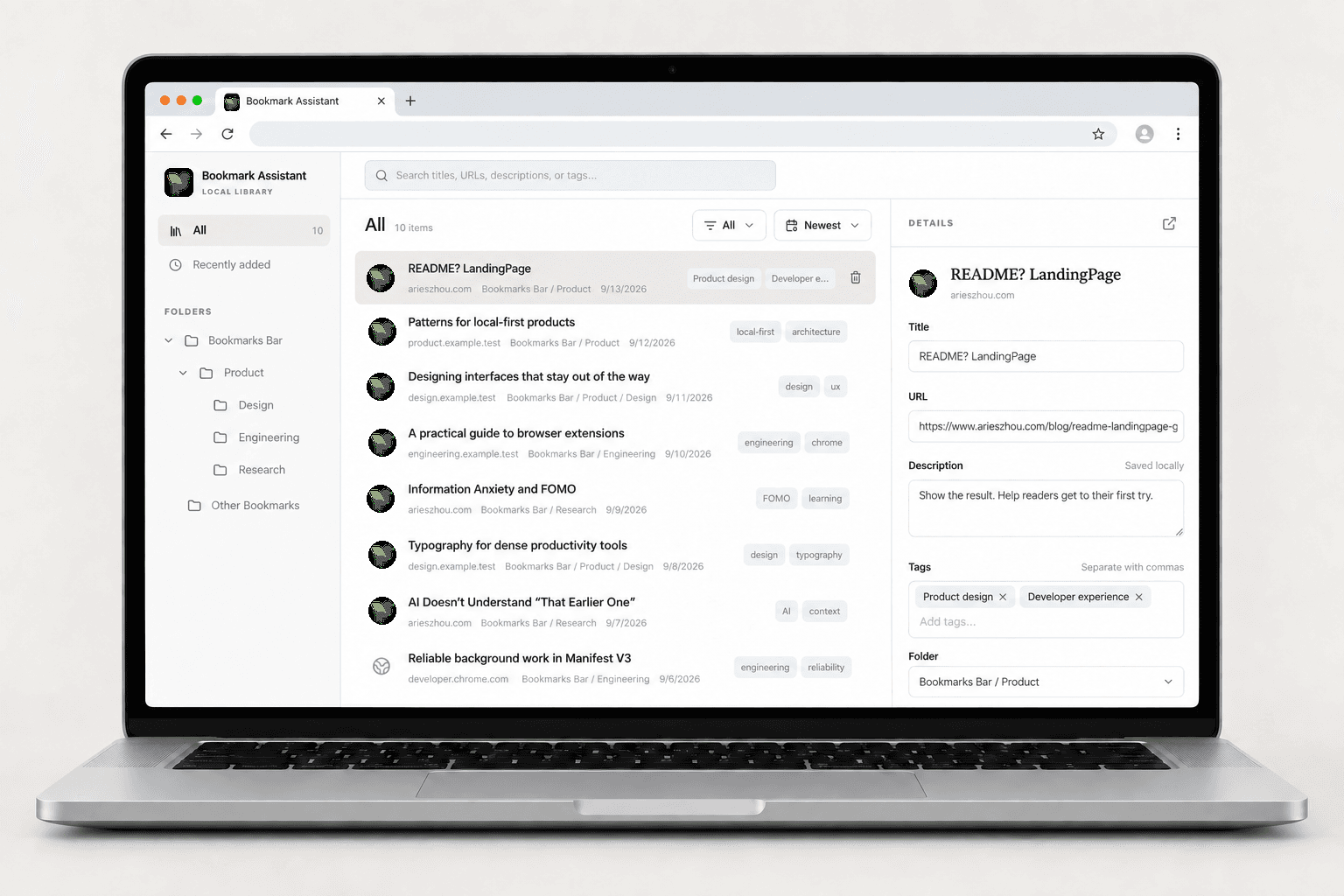
Search, edit, tag, move, and remove bookmarks locally.
They remain in Chrome as your source of truth.
For eligible newly saved public pages, add a short summary and useful tags.Optional · Generated content stays editable.
Send bookmarks and Reading List to Notion on demand.
No migration to another bookmark service.
 Bookmarks + Reading ListNNotionInteractive preview
Good things, kept together.
| Name | Date | Tags | Description |
|---|---|---|---|
| A closer look at white space, thoughtful tools, and making room for what matters. | |||
| Connect the things you read. Let a collection of links grow into a body of knowledge. | |||
| Fewer distractions. More useful connections. A quieter space for your digital life. | |||
| Articles, tools, and ideas you want to come back to. Everything in its own place. | |||
| Keep something worth putting into practice. A bookmark can be the start of your next project. |
Sample data · No connection to your Notion account.
Compare the plans here. Connect Notion and open Billing & Plan in the extension to see the current Pro price and upgrade.
Free
Manual sync and page saving
Pro
Scheduled sync and batch AI
Install to view priceConnect Notion first, then upgrade from Billing & Plan.
Start with your local Chrome library. Connect Notion and add optional AI only when they fit your workflow.
Install